> For the complete documentation index, see [llms.txt](https://docs.koinju.io/llms.txt). Markdown versions of documentation pages are available by appending `.md` to page URLs; this page is available as [Markdown](https://docs.koinju.io/sql-api-specifics/private-link-setup.md).
# Private Link Setup
For advanced clients wishing consuming data from services hosted on AWS we provide the possibility to connect to our database through AWS Private Link.
## 1) Request the Service name and DNS name from Koinju
## 2) Create AWS Endpoint
**AWS console**
Open the AWS console and Go to **VPC** → **Endpoints** → **Create endpoints**.
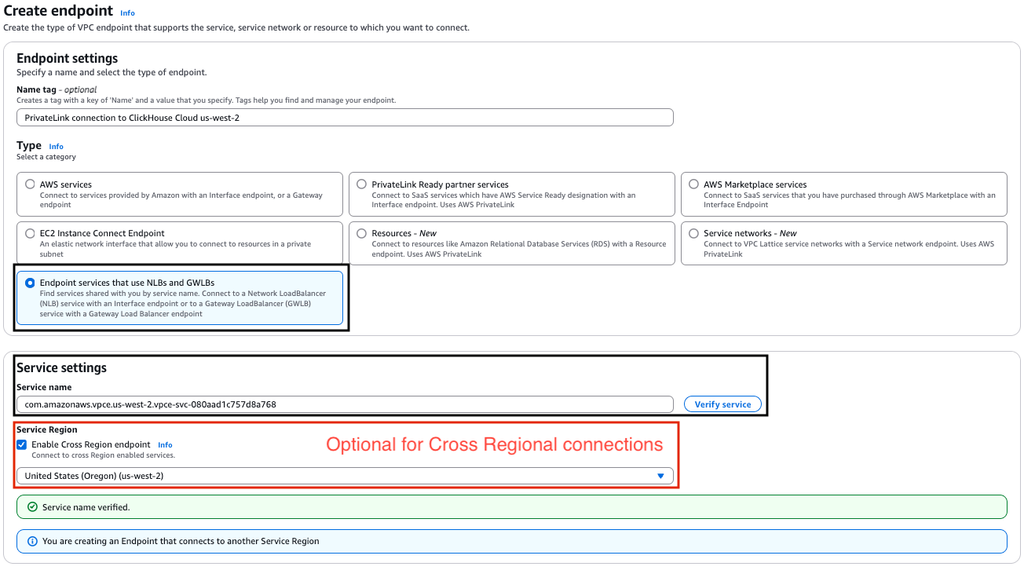
Select **Endpoint services that use NLBs and GWLBs** and use `Service name` or `endpointServiceId` you got from [Obtain Endpoint "Service name" ](https://clickhouse.com/docs/manage/security/aws-privatelink#obtain-endpoint-service-info)step in **Service Name** field. Click **Verify service**:
If you want to establish a cross-regional connection via PrivateLink, enable the "Cross region endpoint" checkbox and specify the service region as `eu-central-1`.
If you get a "Service name could not be verified." error, please contact Koinju team.
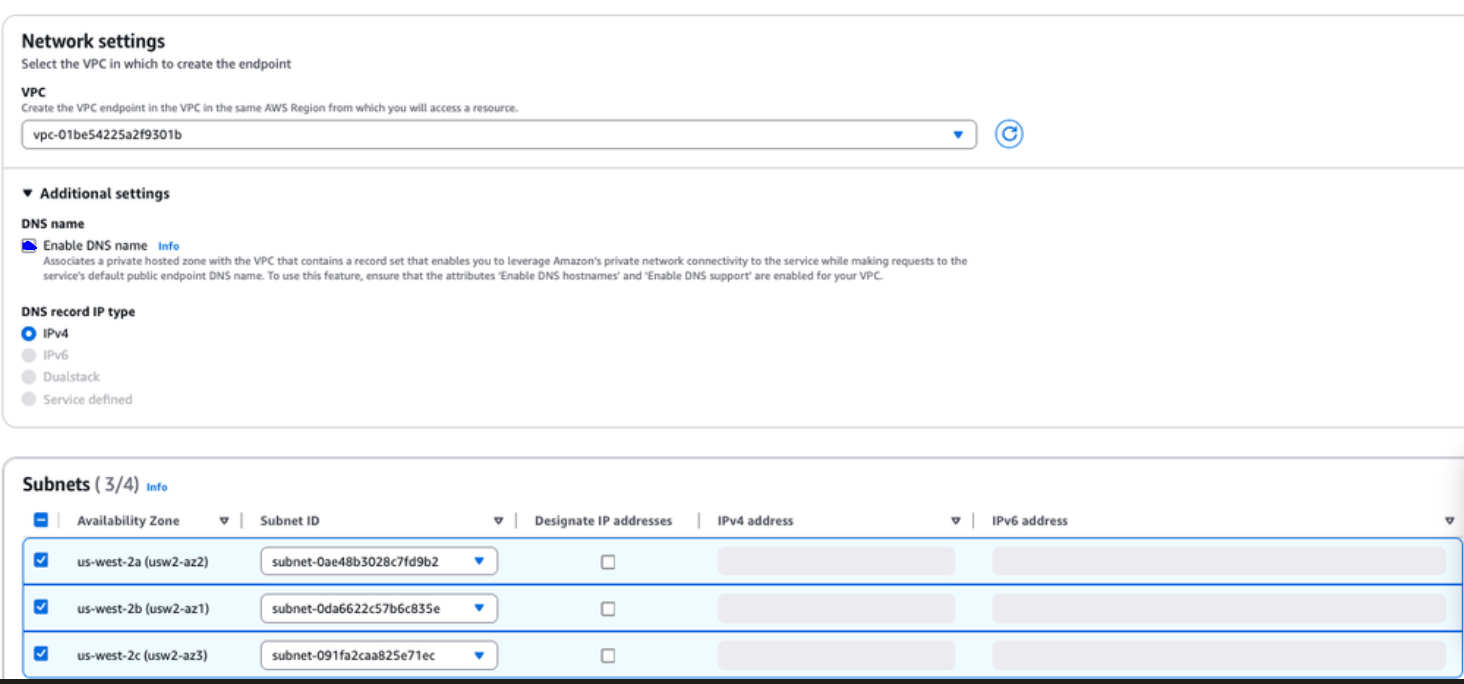
Next, select your VPC and subnets:
> Make sure that `Enable DNS Name` is selected
As an optional step, assign Security groups/Tags:
> Make sure that ports `443`, `8443`, `9440`, `3306` are allowed in the security group.
After creating the VPC Endpoint, communicate the `Endpoint ID` to the Koinju team that will connect it to the clickhouse instance.\

## 3) Test Connection
Once green-lit by the Koinju team you will be able to connect to the clickhouse instance via the DNS name provided to you in step 1 from within your VPC.
> More information about the private link setup :